
Are you having trouble uploading your WordPress database? and looking for how to import large WordPress database (SQL) in phpMyAdmin
If the size of the database is small then it gets uploaded easily but sometimes problem arises when the size of the database is very large then some error occurs while uploading.
Today in this article we will learn how to easily upload large MYSQL database of your WordPress website to phpMyAdmin.
Import WordPress Database Using BigDump ?
What is Big Dump? It is a PHP script that allows you to import a large MySQL database file into your existing database and solves common issues such as timeouts and errors during import.
So without wasting any time let’s get to the point and see how to import WordPress database using BigDump.
So first of all you have to download BigDump php script, for this search big dump on the internet, go to the first website that comes and download it.
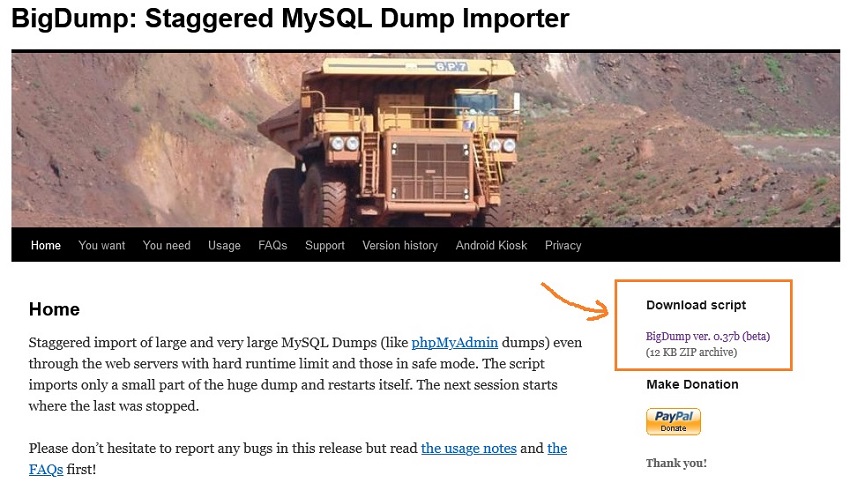
Extract the downloaded file. Now edit the BigDump PHP Script file. You can use notepad to edit it.
BigDump PHP Script Database Importer
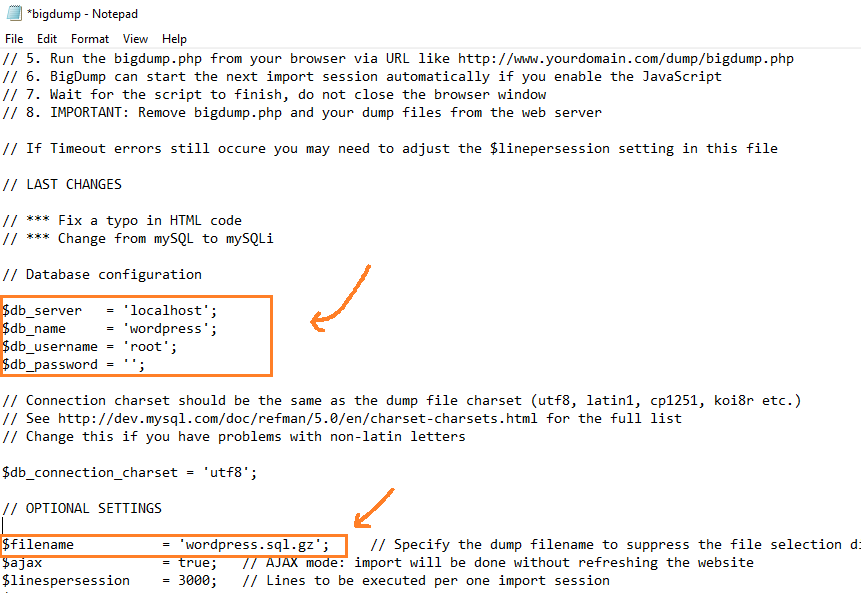
- $db_name = ‘wordpress’; Enter Current WordPress Database Name
- $db_username = ‘myadmin’; In this Enter Current database username
- $db_password = ‘mypassword’; Type Database password
- $filename = ‘wordpress.sql.gz’; Enter your backup SQL database name
Remember, Don’t forget to Replace the value with yours
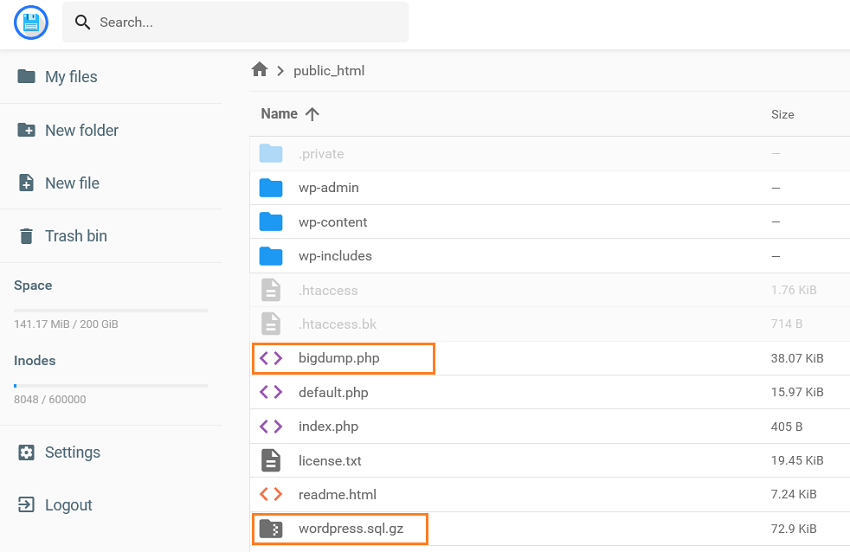
Now you have to upload Edited ‘Bigdump.php’ file and ‘database’ SQL file (Backup SQL File) to the root directory (Public_html). If your hosting provider allows access the files, you can upload directly from the hosting panel or use FTP Tool like ‘FileZilla’ for this.
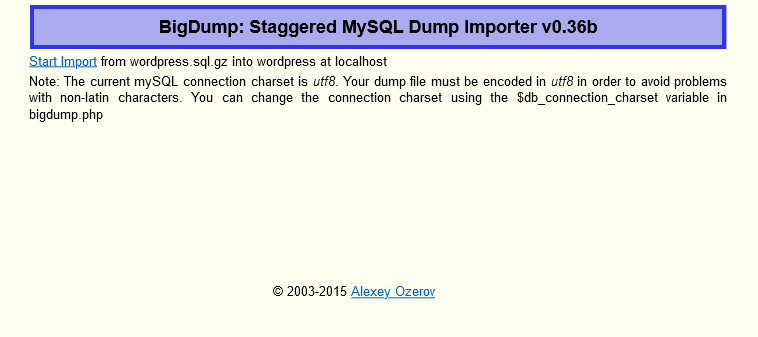
Now open your website in browser ”yourwebsite.com/bigdump.php” and click on ‘start import’ button to start importing.
Note: – Replace yourwebsite.com with your website url.
Congratulation database has been imported successfully. If you did everything as described, I hope you didn’t get any errors.
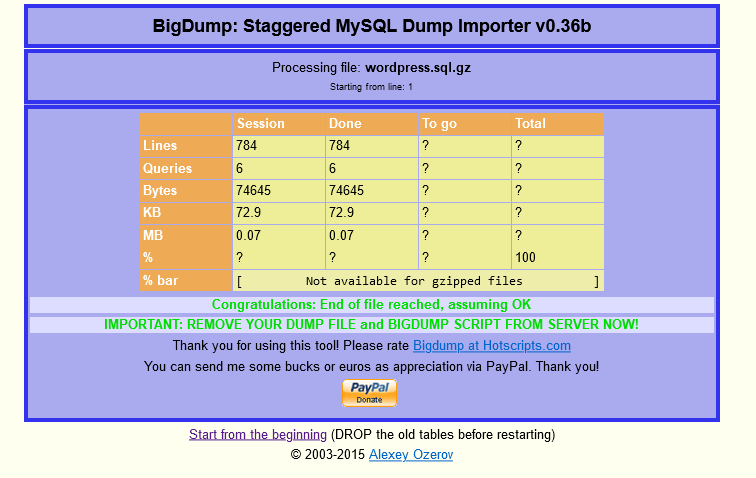
You can now permanently delete the BigDump.php and SQL Server backup files from the root directory. This is very important for privacy and security.
Also Read : How to Reset WordPress Password
Thank you very much for reading the article. I hope you liked it. Still if you face any problem, please ask in the comment box.
