
WordPress comes with a pre built-in category named Uncategorized which people often want to change. If you are one of them who wants to Rename Uncategorized Category in WordPress to something else according to your choice, then this article is for you
You can assign a post to multiple categories, but you must assign the post to at least one category. By default, if you don’t select a category the post will be assigned to the “Uncategorized” category. (Remember, you can change the default category under the Posts > Categories option in your WordPress dashboard.)
In this article, we will discuss how to change the uncategorized category name in WordPress Step by step.
What is uncategorized category in wordpress ?
Categories are the main way to organize your posts in WordPress and help readers to navigate your site easily and it also help search engine how to show your topic in search results.
You will be able to assign a post to multiple categories, but you must assign a post to at least one category. By default, a post will be fall under the “Uncategorized” category automatically if you forget to pick any one.
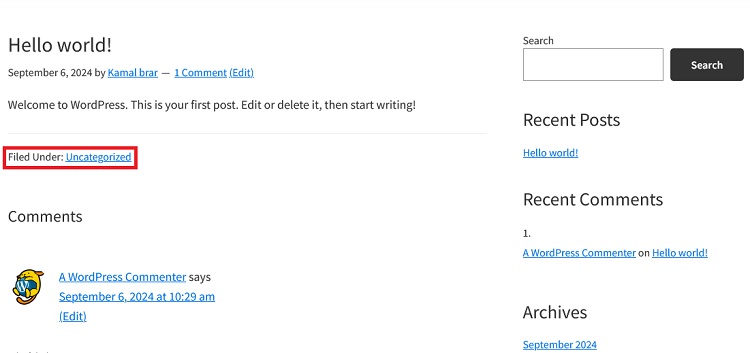
Remember, you can change the default category under the Post » Categories option in your WordPress dashboard. however, You cannot delete the default categories unless you create another default category or select one from all the existing ones
We can do this very easily in two ways, either we can rename the defaults category, or select one from already created category as the default category. (Remember If you do not have a previously created category then you can create it.)
How to Rename Uncategorized Category in WordPress ?
It is very easy to rename the category, for this you first have to go to the WordPress dashboard, now go to Posts » Categories click on the edit link below the Uncategorized category.
(Remember – if you are unable to find uncategorized category simply search in search category bar).
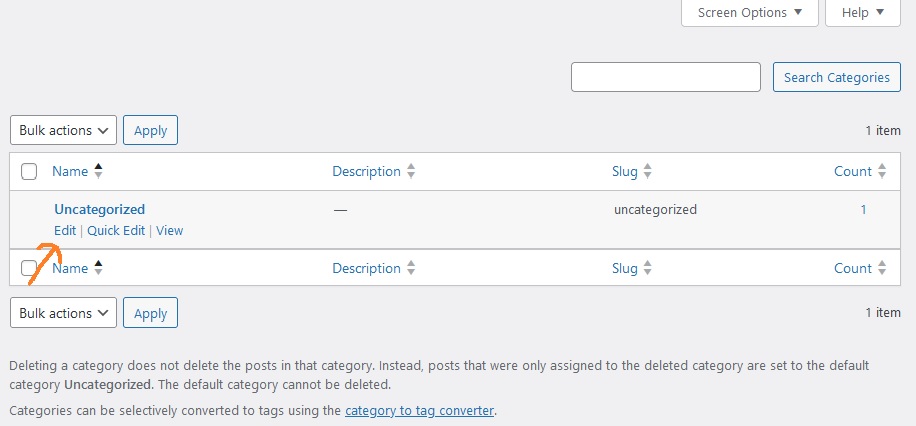
After clicking on edit you can change the name which is currently uncategorized and you can also change the slug (slug is a link to the category)
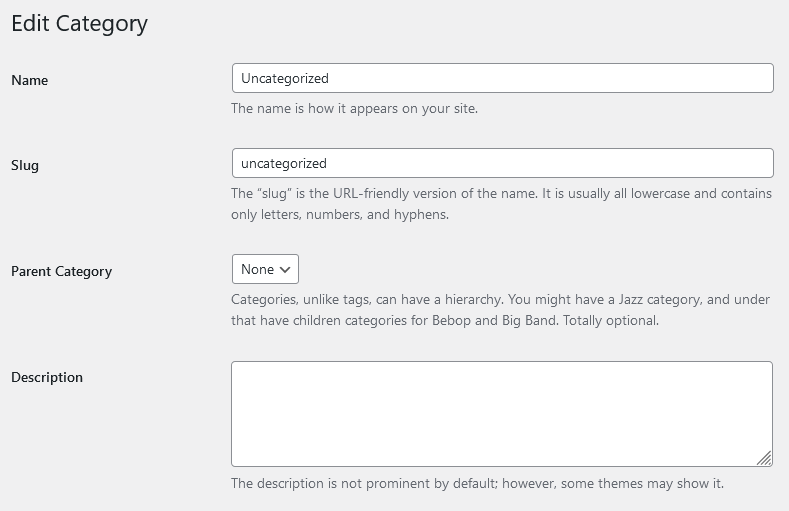
Note- don’t forget to click on update after changing Name and slug
If your website is already listed on Google and categories appear in the Google search list then changing the URL Slug of category lead to 404 error. for that you can setup redirects.
How to Change Default Category in WordPress
If you have categories other than default category in your WordPress then you can easily change the default category, it is very easy
If you don’t have category other than uncategorized or you don’t want to use any of the existing categories then you will need to create new category and it is good idea to create new one so that you can give relevant name and slug according to your choice.
To create new category go to Posts » Categories and create category, skip this step if you already created.
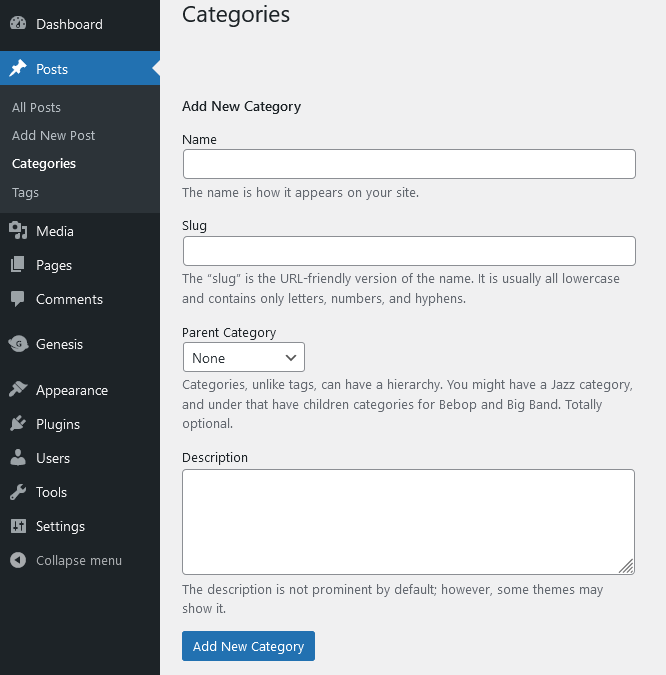
After creating new Category visit Settings » Writing. at Writing Settings page The first option on the page is to set a default post category
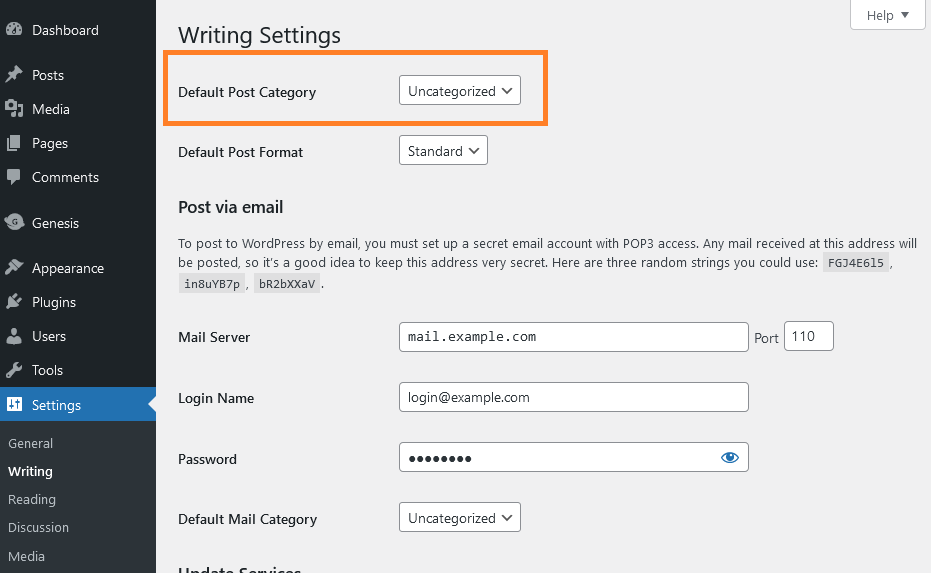
Now select the default category you would like to use from the drop down menu next to default post category. after selecting click on save change.
New default category of your WordPress is ready, whenever you forget to select any category then post will go in this category automatically.
now you may wonder how to move posts that are in the uncategorized category to the new default category, you can use below methods
- manually move posts to default categories If you have very few posts available in your WordPress.
- delete uncategorized category then post will be automatically moved to your new default category which you have just created, but remember post should only be filed under uncategorized category.
We hope this guide will help you learn how to Rename Uncategorized Category in WordPress. Still if you face any issue then do ask in the comment box.
Read More : How to Schedule WordPress Post
